Section 1
Verbal Battery
Reasoning with words and ideas
- Verbal Classification
- Verbal Analogies
- Sentence Completion
Grades 1–2: Picture classification, picture analogies and listening questions, with no reading needed.
Help your child get ready for the CogAT with 12,000+ original practice questions in all nine question types. Timed practice papers, instant feedback and simple explanations, free and with no sign-up.
Pick a section, then tap the answer you think is right.
The Cognitive Abilities Test (CogAT) measures how children reason and solve problems, not what they have memorized. Many school boards use it to find students for gifted and enrichment programs. It has three sections, called batteries, and each battery has three kinds of questions.
Reasoning with words and ideas
Grades 1–2: Picture classification, picture analogies and listening questions, with no reading needed.
Reasoning with numbers and patterns
Grades 1–2: Abacus bead patterns, picture counts and balance-the-scale puzzles, with no reading needed.
Reasoning with shapes and pictures
Grades 1–2: Figure classification, figure matrices and paper folding, with no reading needed.
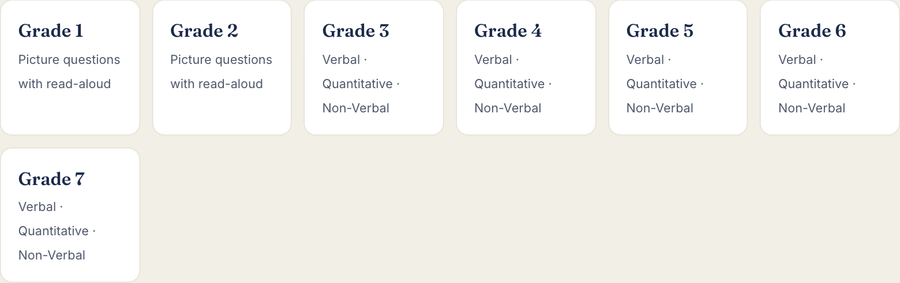
Use the grade buttons above, or go to Free Practice → CogAT-style.
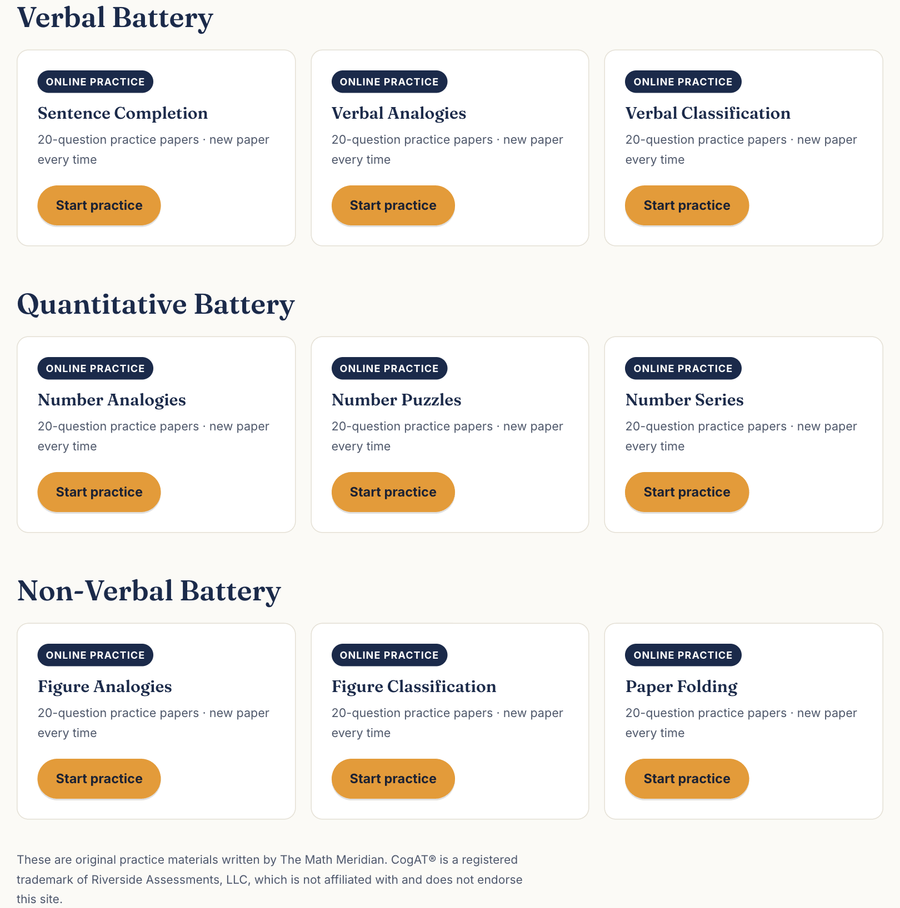
Each grade has Verbal, Quantitative and Non-Verbal sections, with three kinds of questions in each.
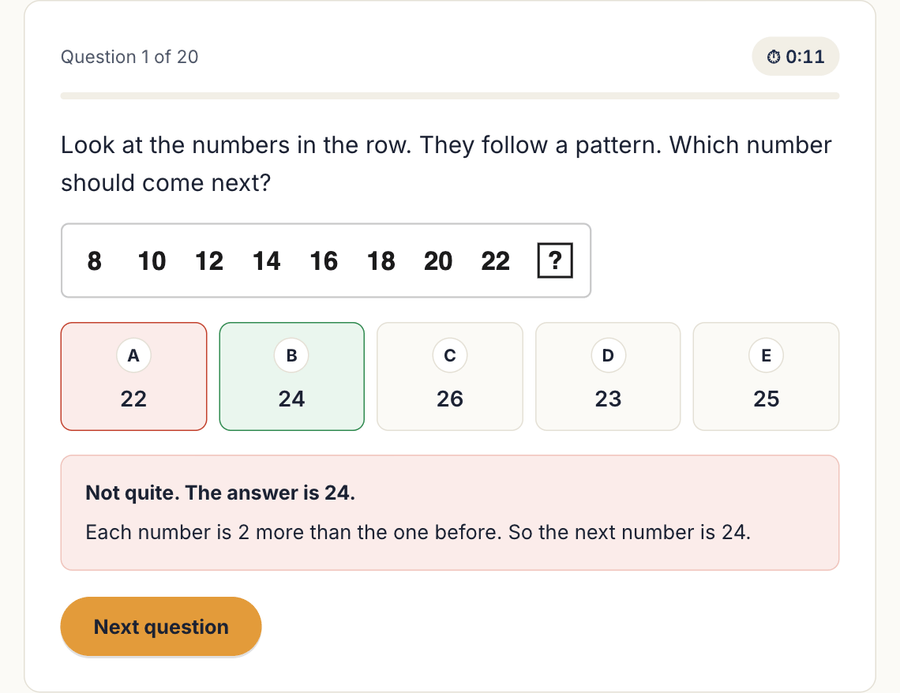
20 questions (15 for Grades 1–2), from easier to harder, like the real test. After each answer your child sees if it was right and why.
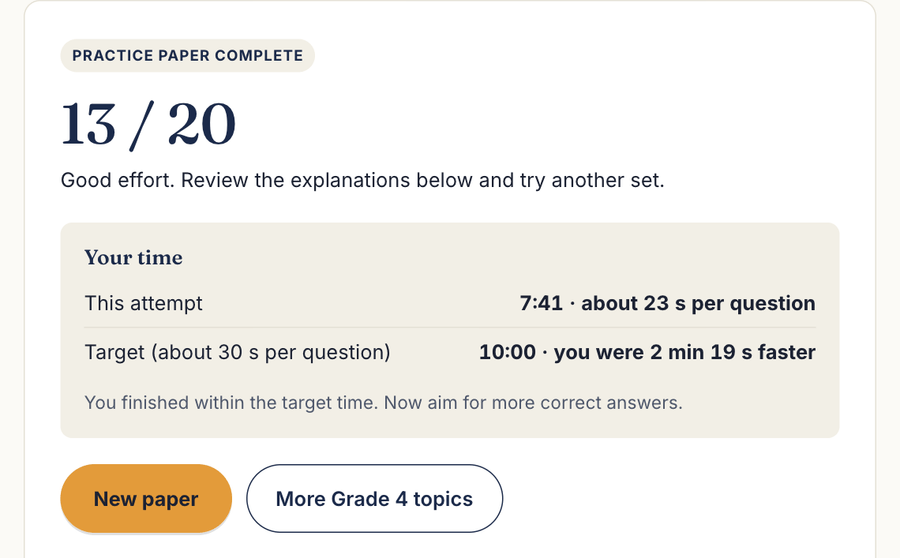
The score, the time compared with the target, and an explanation for every mistake. Tap New paper for a fresh set of questions.
One paper a day (about 10 minutes) works better than a long session once a week.
Let your child try the paper alone, then go over the mistakes together and ask them to explain the rule.
Sit with your child and use the 🔊 Read aloud button. The questions are pictures, so no reading is needed.
Use the same device and browser each time, then open My progress to see scores and times.
Tell us your child's grade and we will email you a simple practice plan: which sections to start with, how many papers a week, and how to review mistakes together.
Takes about one minute. We never share your details.
Yes. Every question, practice paper and explanation is free to use. You do not need to create an account or give an email address.
No. They are original practice questions written by The Math Meridian in the same formats as the CogAT, so your child gets used to the kinds of questions and the timing. Real test questions are never published.
Choose the grade your child is in now. Once they score 16 out of 20 or more again and again, try the next grade up for an extra challenge.
Grades 3–7 papers have 20 questions and take about 10 minutes. Grades 1–2 papers have 15 picture questions. A timer shows how long it takes, and your child can tap it to hide it.
Yes. Grades 1 and 2 use picture questions, and a 🔊 Read aloud button reads each question and the answer choices out loud.
Yes. It works in the web browser on phones, tablets and computers. On an iPad or phone you can tap Share → Add to Home Screen so it opens like an app.
Open the My progress page on the same device and browser your child uses. It shows each section they have tried, their best and latest scores, and their times.
Yes. Book a free 30-minute assessment and we will show you exactly where your child should start.
These are original practice materials written by The Math Meridian. CogAT® is a registered trademark of Riverside Assessments, LLC, which is not affiliated with and does not endorse this site.
An assessment shows exactly where your child should start and what to work on first.
Book an assessment